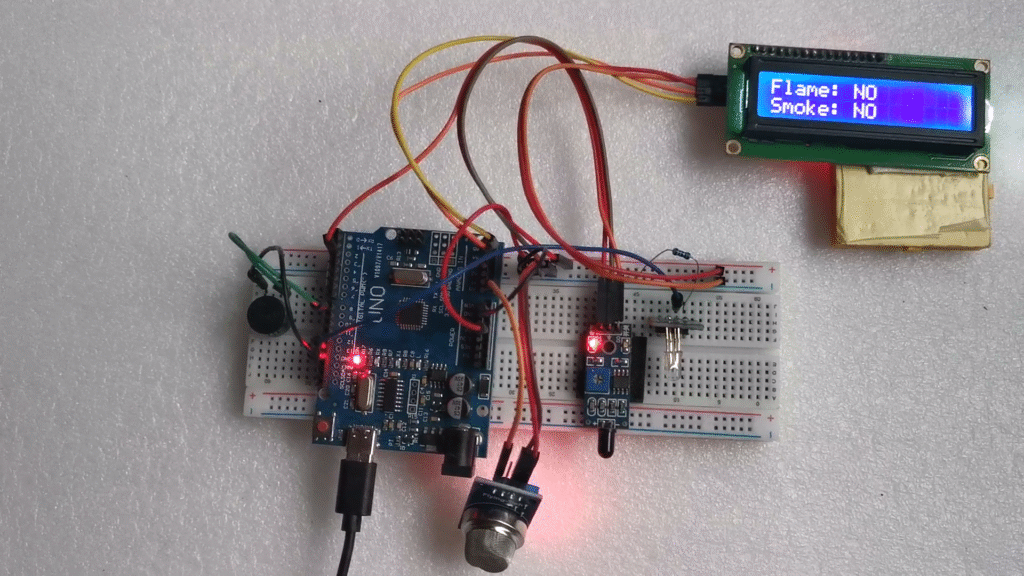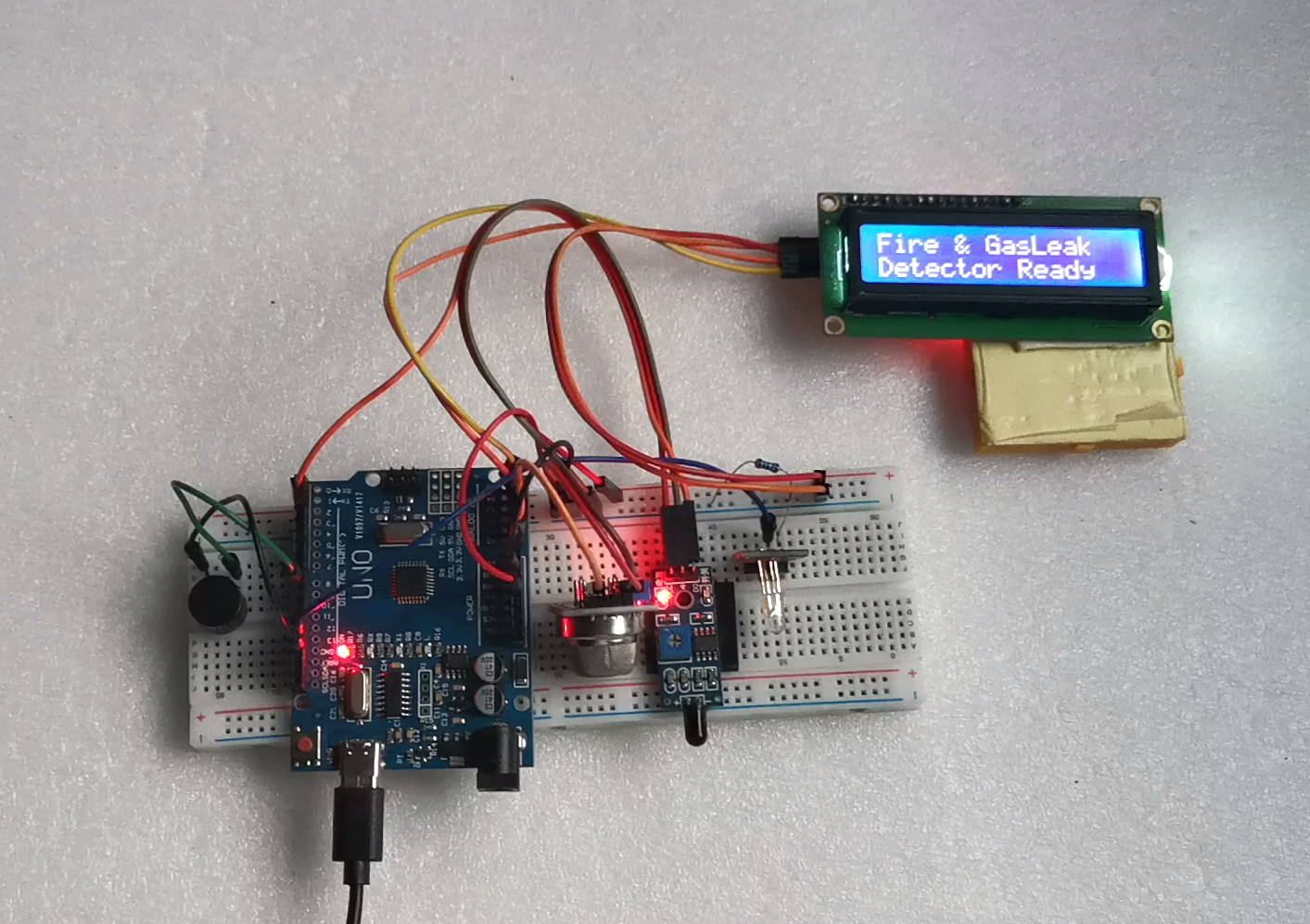
Hello friends in this tutorial I will show you how I made this Arduino Gas leakage and Flame Detection with Alert System and Real Time Monitoring.
By the name itself you might have already know what is this project all about.
Well let me also quickly tell you what this project is actually about and what made me to build this project.
Most of us have already seen the gas detection system that is found in the ceiling of the office! Well that works in the similar way when it gets exposed to flame the fuse inside it breaks and it sprays water.
This project was inspired from that but here instead of spraying water i will use LED to show you the workings and not to mention you can also connect to other components like for example the water pump also when the sensor detects the flame or gas.
To make the device more sensitive considering the safety i have added 2 separate here in this project.
For the detection of flame i have added the flame sensor and for the detection of gas i have added the MQ2 gas sensor modules.
Both of these sensor really does a great job when it comes to preactical use cases.
To make the device interactive i have added LCD module that shows the values in real time, and the best part is there is 2 seperate rows to mention if the sensor detects the flame or gas.
Now in short let me tell you how this project works, as soon you connect this to power supply the project is ready for using.
The flame sensor is sensitive to fire and if it detects it immediately triggers the buzzer accompanying the led and also the same is shown in the LCD module, and the same is for gas sensor also.
I strongly recommend you to build this project as you can learn a lot about sensor and circuits.
Components Required
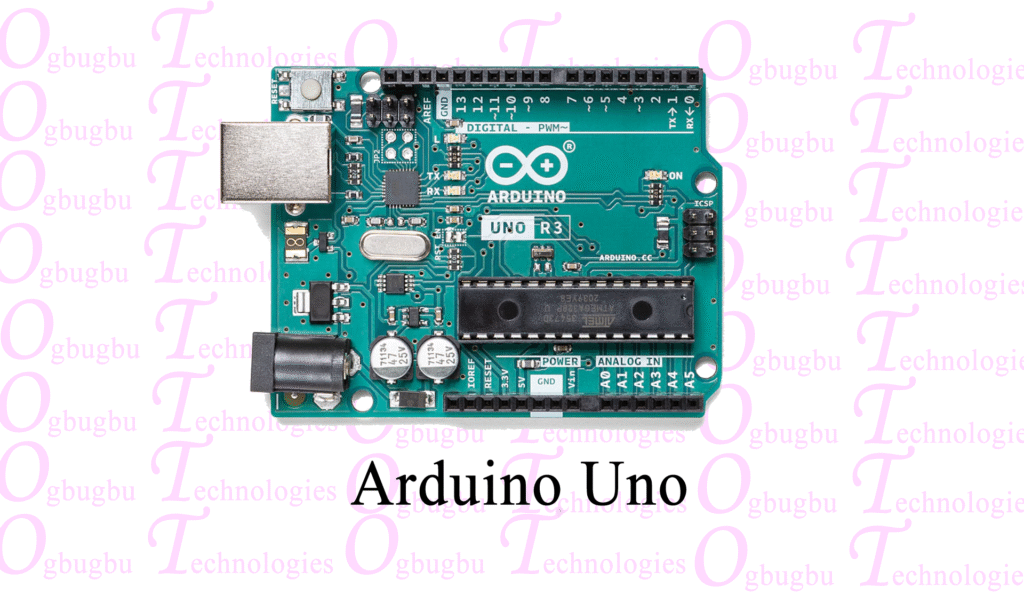
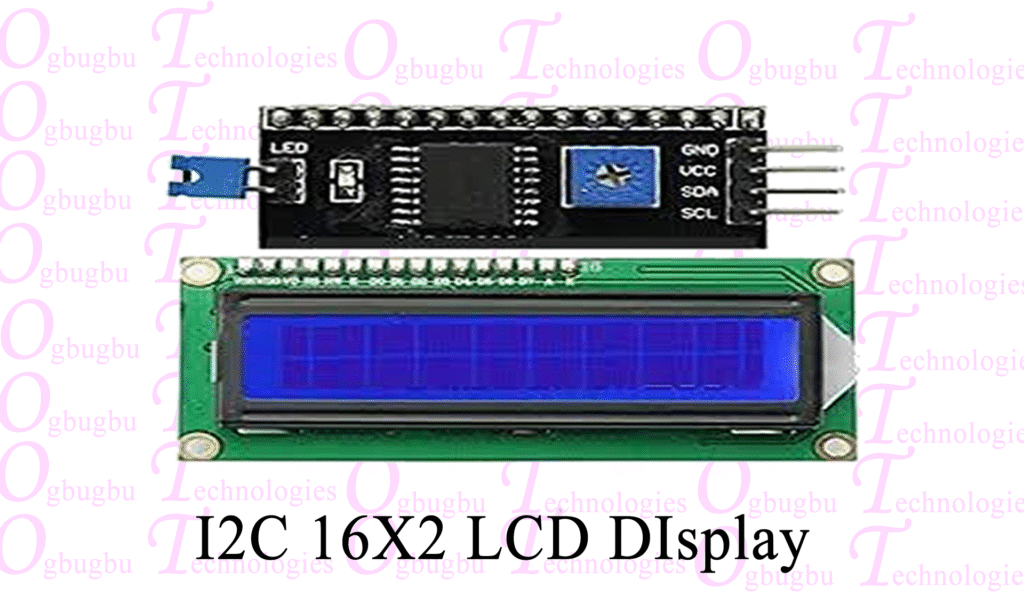

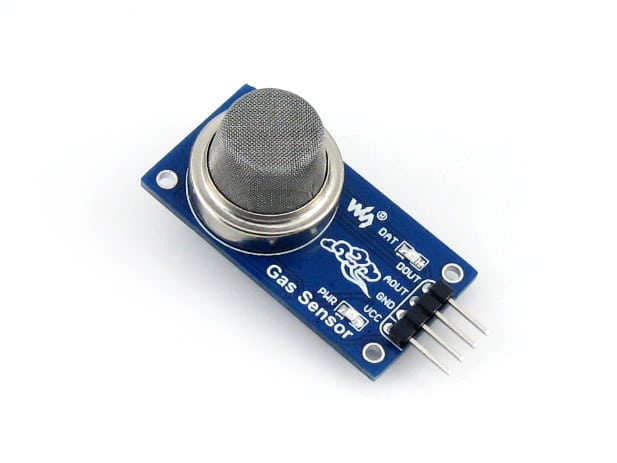


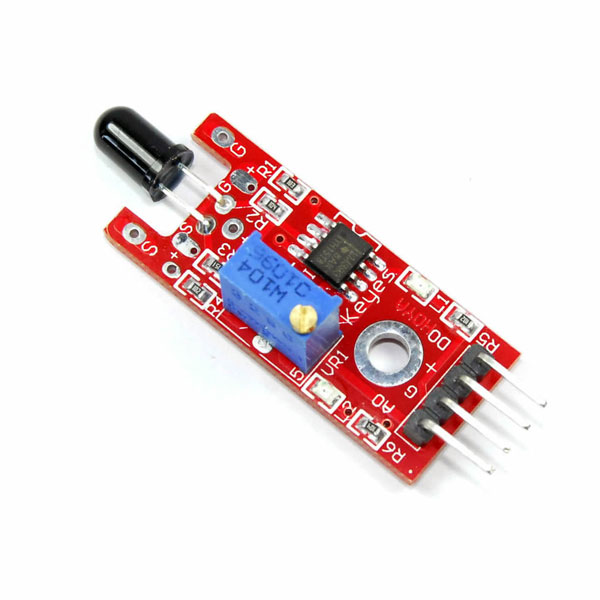
These are the components that you need to build this project
Arduino Uno from amazon
LCD module with I2c
Flame Sensor
MQ2 Gas Sensor
Buzzer
LED – Red Color
Jumper Cables
Cardboard
Hot glue and superglue
18650 Batteries x2
Battery Holder
DC Pin
Programming Cable and Arduino IDE
Note that these are affiliate links and upon qualifying sales i may receive a small percentage of sales at no extra cost to you
Step 1: Circuit and Codes
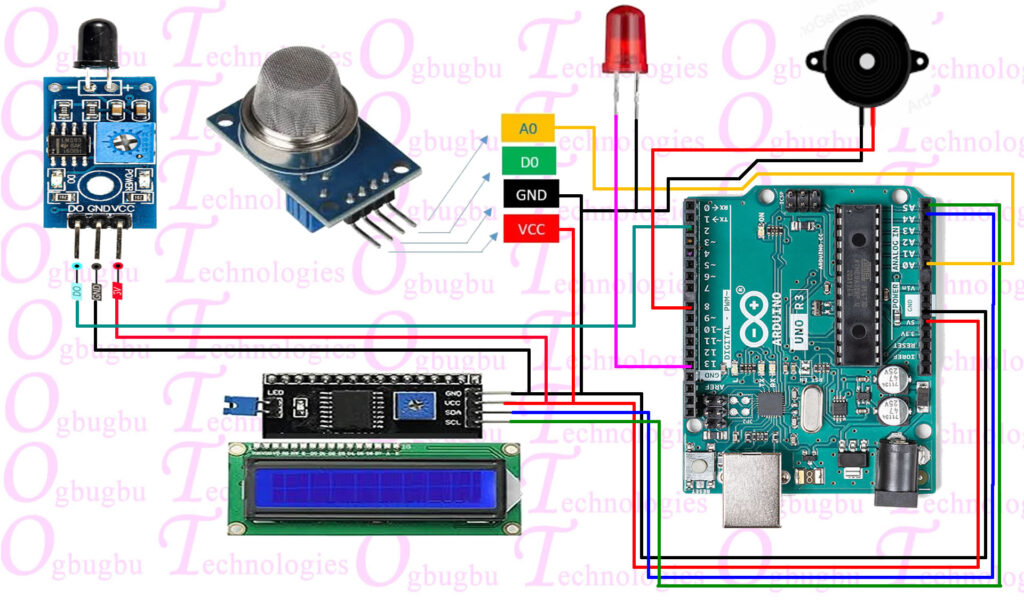
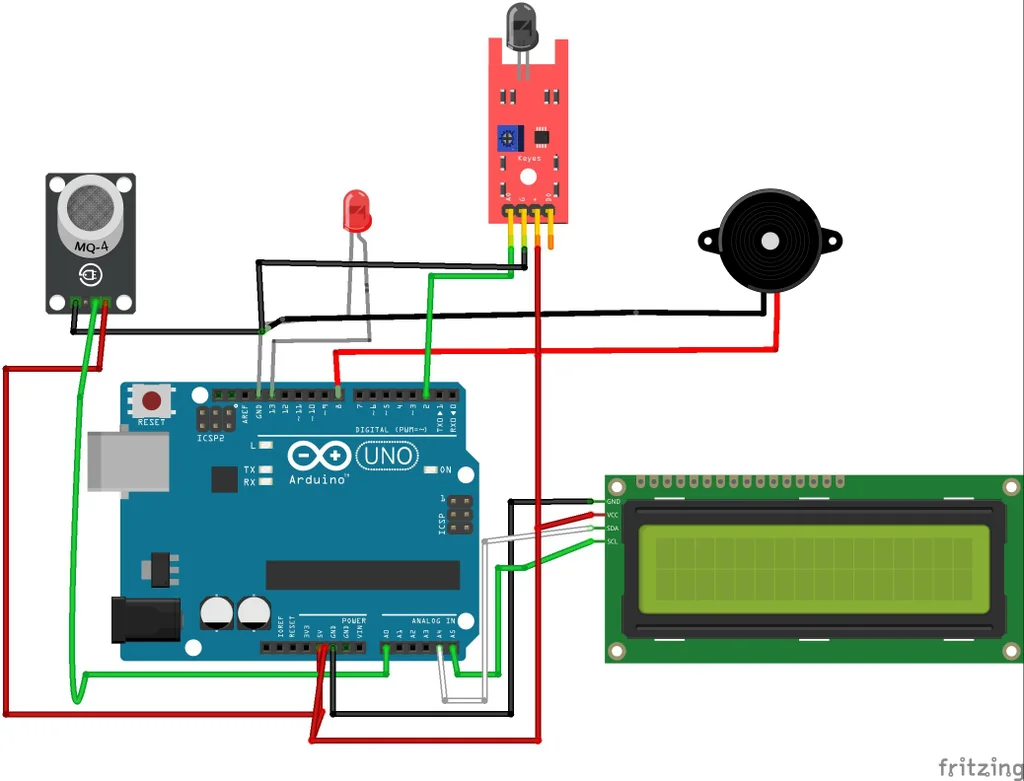
The circuit is simple and dont panic by seeing the cable connections! I will make the circuit simple by breaking down the steps one by one component wise.
To begin with there are 5 components and i will go with connections of every one
Flame sensor
This has 3 pins and the signal pin is connected to D2
Whereas the power and ground is connected to 3v and GND pins respectively
Gas sensor
Here also the Ground and Power pins are connected to GND and 5v Pins of the Uno board
The signal pin that is A0 on the gas sensor is connected to A0 on the Uno board
Buzzer and LED
Sinec we have limittaion of the GND pins of the Uno board i have connected the ground of both componnets into one
Whereas the positive pins from LED is connected to D13 and the Buzzer is connected to D8
LCD module
Scl and Sda is connected to A5 and A4 pins whereas the Positive and Gnd is connected to 5v and the ground pins respectively.
This completes the connection, Now open your IDE and use the below file for program, You may need to install drivers if it shows errors.
Select proper port and board type and click on upload button and now we can move ahead with next steps.
You can take your hobby projects to next level by upgrading the parts with CNC parts from JLCCNC.
Can you believe they are offering CNC Machining at just $1? Claim the $70 welcome coupons from JLCCNC Here
They use advanced technology to produce CNC parts that can suit your various needs, So for your next project keep JLCCNC in your mind.
Arduino Code
#include <Wire.h>
#include <LiquidCrystal_I2C.h>

#define flamePin 2
#define gasPin A0
#define buzzer 8
#define ledPin 13

LiquidCrystal_I2C lcd(0x27, 16, 2); // Change to 0x3F if needed

void setup() {
  pinMode(flamePin, INPUT);
  pinMode(buzzer, OUTPUT);
  pinMode(ledPin, OUTPUT);
  lcd.init();
  lcd.backlight();
  lcd.setCursor(0, 0);
  lcd.print("Fire & GasLeak");
  lcd.setCursor(0, 1);
  lcd.print("Detector Ready");
  delay(2000);
  lcd.clear();
}

void loop() {
  int flame = digitalRead(flamePin);
  int gasValue = analogRead(gasPin);
  int gasThreshold = 300; // Adjust based on environment

  lcd.setCursor(0, 0);
  lcd.print("Fire: ");
  lcd.print(flame == LOW ? "YES " : "NO  "); // For active LOW sensors

  lcd.setCursor(0, 1);
  lcd.print("GasLeak: ");
  lcd.print(gasValue > gasThreshold ? "YES " : "NO  ");

  if (flame == LOW || gasValue > gasThreshold) {
    // Danger detected
    digitalWrite(buzzer, HIGH);

    // Flash LED
    digitalWrite(ledPin, HIGH);
    delay(150);
    digitalWrite(ledPin, LOW);
    delay(150);
  }
  else {
    // Normal condition
    digitalWrite(buzzer, LOW);
    digitalWrite(ledPin, LOW);
    delay(300);
  }
}