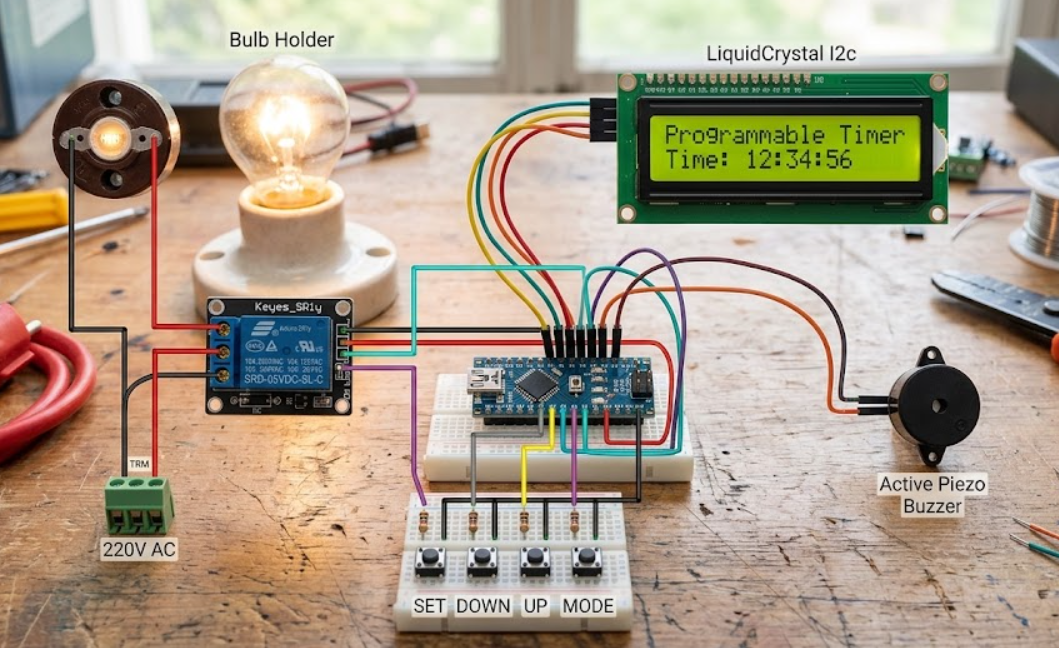
Component & Connection Summary:
- Arduino Nano Microcontroller: Serves as the central control unit powered via 5V/GND rails.
- 16×2 LiquidCrystal I2C Display:
- GND ==> Arduino GND
- VCC ==> Arduino 5V
- SDA ==> Arduino Pin A4
- SCL ==> Arduino Pin A5
- Control Buttons (SET, DOWN, UP, MODE):
- Connected to Arduino pins A0, A1, A2, and A3 respectively, with shared ground.
- 5V Single-Channel Relay Module:
- Signal Pin (S) ==> Arduino Pin D6
- VCC & GND ==> Power rails
- Output Terminals: Switches the 220V AC phase line supplying the AC light bulb.
- Piezo Buzzer:
- Positive Wire ==> Arduino Pin D5
- Negative Wire ==> Arduino GND
Here is a detailed breakdown of each component used in the programmable timer relay circuit and its specific function within the system:
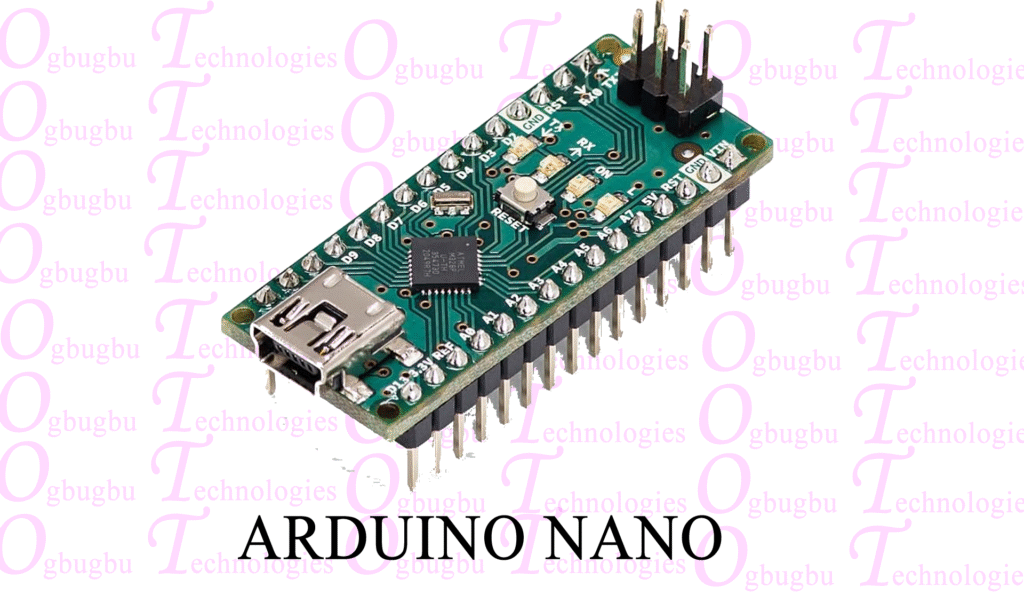
1. Arduino Nano Microcontroller
- Role: The “brains” and central processing unit of the device.
- Function: It runs the C/C++ embedded program that reads input from the user control buttons, processes real-time countdown logic, updates the display text, triggers the buzzer alerts, and switches the relay on or off based on the programmed timing parameters.
2. 16×2 LiquidCrystal I2C Display
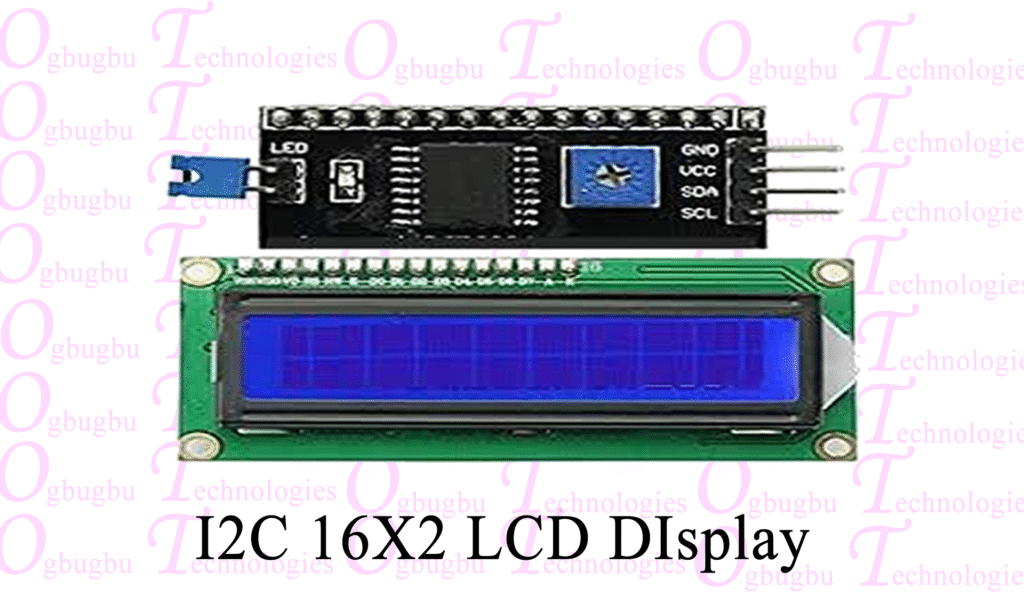
- Role: The primary user interface output screen.
- Function: It displays the system’s operational status, configuration menus, and the active countdown timer. The integrated I2C backpack module reduces the standard 16-pin requirement down to just 4 wires (GND, VCC, SDA, SCL), simplifying wiring and saving precious digital pins on the microcontroller.
3. Push Buttons (SET, DOWN, UP, MODE)
- Role: The manual user input interface.
- Function:
- MODE: Switches between different operational states or timer configurations.
- SET: Confirms selected values or enters programming mode.
- UP / DOWN: Increments or decrements timer values (hours, minutes, seconds).
4. 5V Single-Channel Relay Module (SRD-05VDC-SL-C)
- Role: An electrically isolated electronic switch.
- Function: It allows the low-voltage (5V) digital signal from the Arduino to safely control a high-voltage, high-current appliance (the 220V AC light bulb). Inside, an electromagnetic coil trips a mechanical switch, completely isolating the low-voltage logic circuitry from the high-voltage mains power.
5. AC Light Bulb & Bulb Holder
- Role: The high-power output load being controlled by the timer.
- Function: Powered by the 220V AC mains supply, the circuit routes the live phase wire through the relay’s common (COM) and normally open (NO) terminals. When the timer triggers the relay, the circuit closes and the bulb turns on.
6. Active Piezo Buzzer
- Role: The audio feedback alert system.
- Function: It emits audible beeps or alarms to notify the user of key presses, menu changes, or when the countdown timer has completed its cycle.
7. Power Supply & Interconnecting Wires (Breadboards / Jumpers)
- Role: Power distribution and signal routing.
- Function: Provide steady 5V DC power rails from a regulated source to the Arduino Nano, sensors, and display modules while securely routing control signals between components.
Code:
//Ogbugbu Technologies  https://ogbugbu-technologies.com.ng/    https://www.youtube.com/@ogbugbu-Technologies/videos
//How to Build a Programmable Timer Relay - Triger relay for specific time

#include <LiquidCrystal_I2C.h>  //https://github.com/fdebrabander/Arduino-LiquidCrystal-I2C-library
LiquidCrystal_I2C lcd(0x3F, 16, 2);  // LCD HEX address 0x3F -- change according to yours
#include "Countimer.h" //https://github.com/inflop/Countimer
Countimer tdown;
#include <EEPROM.h>

#define bt_set    A3
#define bt_up     A2
#define bt_down   A1
#define bt_start  A0

int time_s = 0;
int time_m = 0;
int time_h = 0;

int set = 0;
int flag1=0, flag2=0;

int relay = 5;
int buzzer = 6;

void setup() {
Serial.begin (9600);

pinMode(bt_set,   INPUT_PULLUP);
pinMode(bt_up,    INPUT_PULLUP);
pinMode(bt_down,  INPUT_PULLUP);
pinMode(bt_start, INPUT_PULLUP);

pinMode(relay, OUTPUT);
pinMode(buzzer, OUTPUT);

lcd.begin();
lcd.clear();
lcd.setCursor(0,0);
lcd.print("   Welcome To   ");
lcd.setCursor(0,1);
lcd.print("Countdown  Timer");
tdown.setInterval(print_time, 999);
eeprom_read();
delay(1000);
lcd.clear();
}

void print_time(){
time_s = time_s-1;
if(time_s<0){time_s=59; time_m = time_m-1;}
if(time_m<0){time_m=59; time_h = time_h-1;}
}

void tdownComplete(){Serial.print("ok");}

//tdown.stop();

void loop(){
tdown.run();

if(digitalRead (bt_set) == 0){
if(flag1==0 && flag2==0){flag1=1;
set = set+1;
if(set>3){set=0;}
delay(100);
}
}else{flag1=0;}

if(digitalRead (bt_up) == 0){
if(set==0){tdown.start(); flag2=1;}
if(set==1){time_s++;}
if(set==2){time_m++;}
if(set==3){time_h++;}
if(time_s>59){time_s=0;}
if(time_m>59){time_m=0;}
if(time_h>99){time_h=0;}
if(set>0){eeprom_write();}
delay(200);
}

if(digitalRead (bt_down) == 0){
if(set==0){tdown.stop(); flag2=0;}
if(set==1){time_s--;}
if(set==2){time_m--;}
if(set==3){time_h--;}
if(time_s<0){time_s=59;}
if(time_m<0){time_m=59;}
if(time_h<0){time_h=99;}
if(set>0){eeprom_write();}
delay(200);
}

if(digitalRead (bt_start) == 0){ flag2=1;
  eeprom_read();
  digitalWrite(relay, HIGH);
  tdown.restart();
  tdown.start();
}

lcd.setCursor(0,0);
if(set==0){lcd.print("      Timer     ");}
if(set==1){lcd.print("  Set Timer SS  ");}
if(set==2){lcd.print("  Set Timer MM  ");}
if(set==3){lcd.print("  Set Timer HH  ");}

lcd.setCursor(4,1);
if(time_h<=9){lcd.print("0");}
lcd.print(time_h);
lcd.print(":");
if(time_m<=9){lcd.print("0");}
lcd.print(time_m);
lcd.print(":");
if(time_s<=9){lcd.print("0");}
lcd.print(time_s);
lcd.print("   ");

if(time_s==0 && time_m==0 && time_h==0 && flag2==1){flag2=0;
tdown.stop();
digitalWrite(relay, LOW);
digitalWrite(buzzer, HIGH);
delay(300);
digitalWrite(buzzer, LOW);
delay(200);
digitalWrite(buzzer, HIGH);
delay(300);
digitalWrite(buzzer, LOW);
delay(200);
digitalWrite(buzzer, HIGH);
delay(300);
digitalWrite(buzzer, LOW);
}

if(flag2==1){digitalWrite(relay, HIGH);}
else{digitalWrite(relay, LOW);}

delay(1);
}

void eeprom_write(){
EEPROM.write(1, time_s);
EEPROM.write(2, time_m);
EEPROM.write(3, time_h);
}

void eeprom_read(){
time_s =  EEPROM.read(1);
time_m =  EEPROM.read(2);
time_h =  EEPROM.read(3);
}