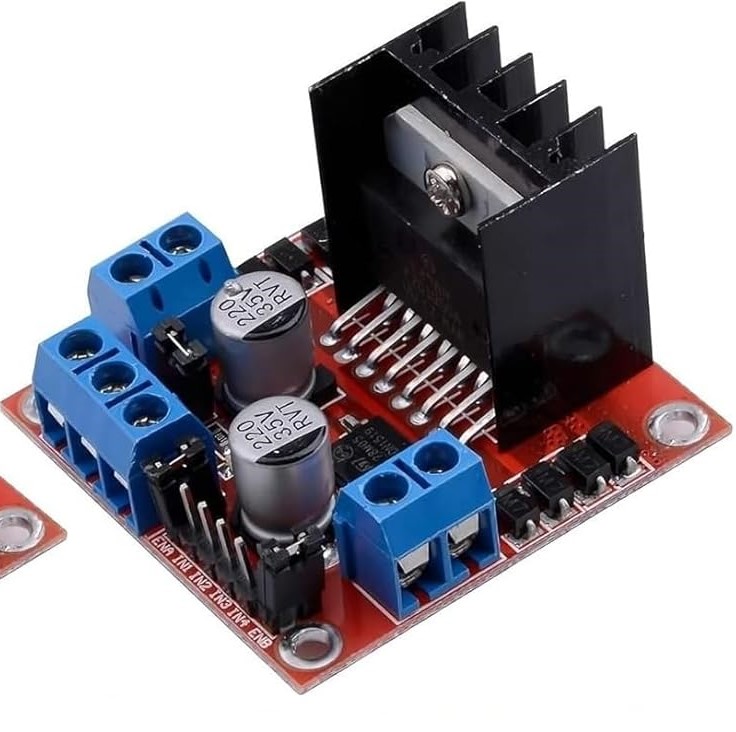
The L298N Motor Driver is a popular dual H-Bridge motor driver which allows speed and direction control of two DC motors at the same time. It’s widely used in robotics and embedded systems due to its simplicity, low cost, and ability to drive two motors simultaneously.
Understanding the Role of the L298N in Controlling DC and Stepper Motors
1. Motors require higher power than microcontrollers can provide
- DC and stepper motors often require more voltage (e.g., 6V–12V) and current (1A or more) than what a microcontroller’s digital pin can supply (typically 5V and <50mA).
- Directly connecting a motor to a microcontroller pin could fail to power the motor.
2. Direction control (forward/reverse)
- The L298N has H-bridge circuits that allow you to reverse the direction of the motor by changing input logic.
- Microcontrollers alone can’t reverse motor direction without extra circuitry.
3. Speed control with PWM
- The L298N allows you to use PWM (Pulse Width Modulation) signals to control motor speed.
- The ENA/ENB pins on the module take PWM signals from the microcontroller and adjust the power sent to the motor accordingly.
Key Components
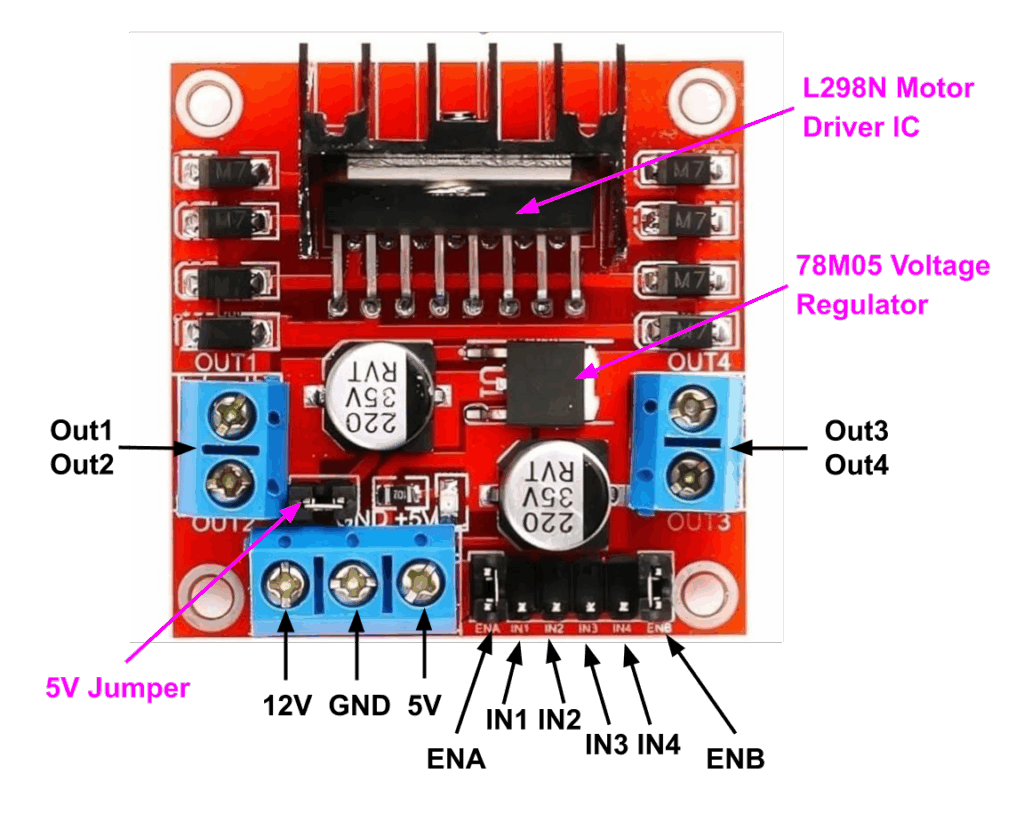
L298N Motor Driver IC
The L298N is a dual H-bridge motor driver IC. It is the core component of the motor driver module, enabling control of two DC motors (or one stepper motor). It allows you to:
- Control the motor direction with logic inputs on the IN1/IN2 and IN3/IN4 pins.
- Adjust the motor speed using PWM signals on the ENA and ENB pins.
The L298N can work with a wide range of voltages from 5V to 46V. This made it very powerful to handle small to large motors.
78M05 Voltage Regulator
The 78M05 is a voltage regulator built into the module.
- Converts the motor supply voltage (e.g., 12V) to a stable 5V.
- Powers the logic circuitry (L298N IC, LEDs, etc.).
- Can also supply 5V to external devices (like Arduino board) if the 5V jumper is connected.
5V Jumper
The 5V jumper is a small, removable bridge on the module.
- When connected, it enables the 78M05 regulator’s 5V output to power the logic part of the board.
- When removed, you must provide an external 5V logic power supply (e.g., from a microcontroller).
Note: Do not connect Arduino’s 5v pin to the L298N logic supply input pin (5v) as long as the 5v regulator’s jumper is placed.
L298N Motor Driver Module Pinout
Power Pins
- 12V – It is the main power input for the motors connected to the driver. This pin is labeled as +12V, but it can accept any voltage within the 5v to 46v range.
- 5V – It is the logic supply pin. It is an input and output pin depending on how the module is powered.
- GND – Ground pin. Make sure you have all of your grounds connected together: Arduino, Power source, and the Motor controller.
When input voltage ≤ 12V and jumper is placed, the onboard 78M05 voltage regulator is activated. The 5V pin acts as an output and can be used to power a microcontroller or other 5V devices.
When input voltage > 12V, the jumper must be removed to prevent damage to the regulator. The 5V pin must be used as an input. A separate regulated 5V input must be supplied via the 5V terminal to power the internal circuitry.
Motor Output Pins
- OUT1 and OUT2 – Control Motor A
- OUT3 and OUT4 – Control Motor B
These pins are connected to the outputs of the H-bridge circuits inside the L298N IC and are used to drive DC motors or stepper motors.
Direction Control Pins
- IN1 and IN2 – Motor A input pins. Used to control the spinning direction of Motor A
- IN3 and IN4 – Motor B input pins. Used to control the spinning direction of Motor B
The direction of the motor’s rotation can be controlled by applying logic HIGH (5V) or logic LOW (0V) to the input pins (IN1 and IN2 for Motor A, IN3 and IN4 for Motor B). By changing the logic levels on these pins, you can control the current flow through the motor, thereby determining its spinning direction.
| Input1 | Input2 | Spinning Direction |
| Low | Low | Motor stops |
| High | Low | Forward |
| Low | High | Backward |
| High | High | Motor stops |
Speed Control Pins
- ENA – Enables PWM signal for Motor A
- ENB – Enables PWM signal for Motor B
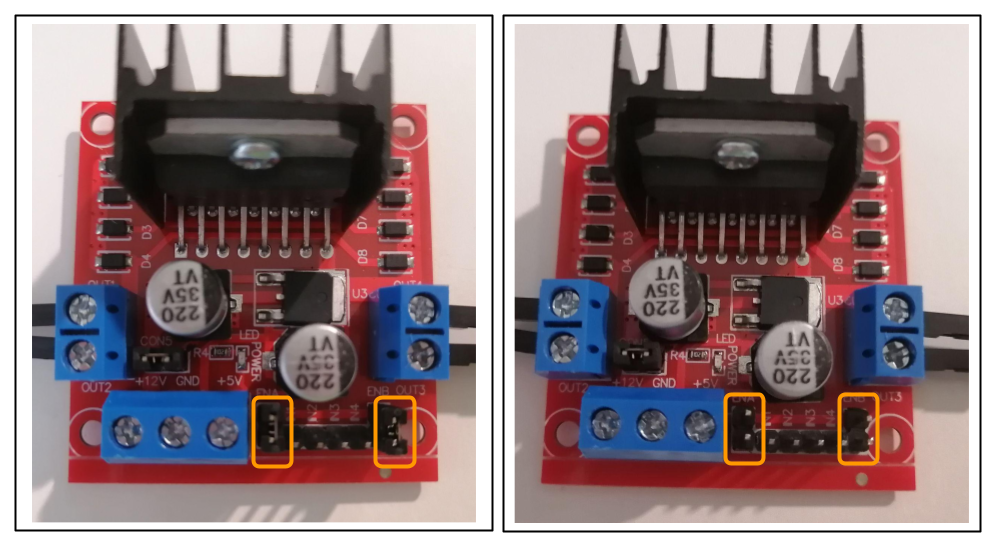
By default, the module comes with jumpers across ENA and ENB, connecting them directly to 5V. This causes both motors to run at full speed when powered.
To control motor speed using an Arduino (or any microcontroller):
- Remove the ENA and ENB jumpers
- Connect ENA and ENB to PWM-enabled pins on your Arduino (e.g., D5, D6, D9, D10)
Hardware Required
- Arduino UNO
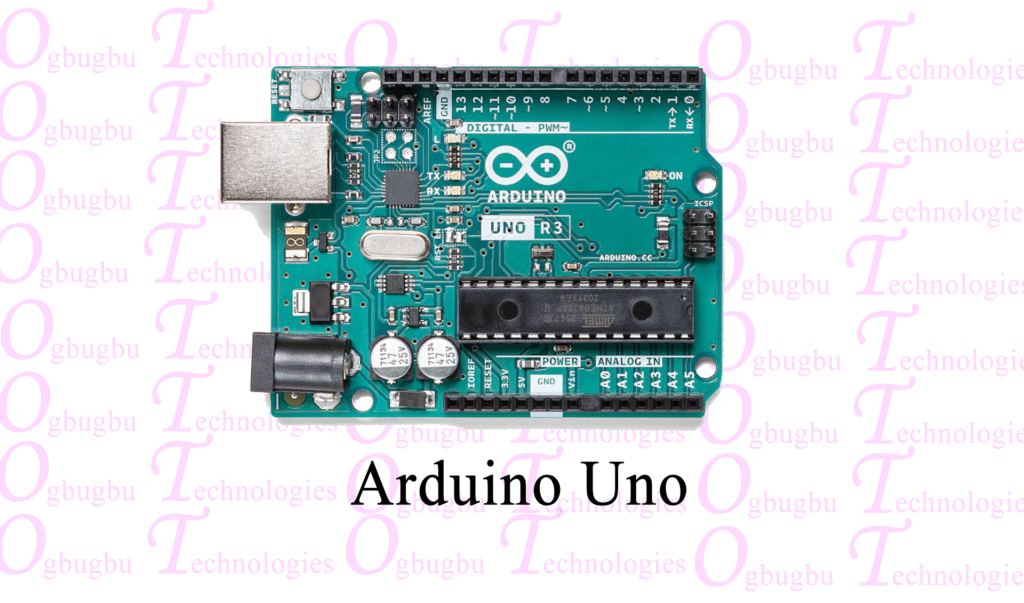
For more information, visit Getting to Know Your Arduino Uno: A Beginner’s Guide to Its Components.
- L298N Motor Driver
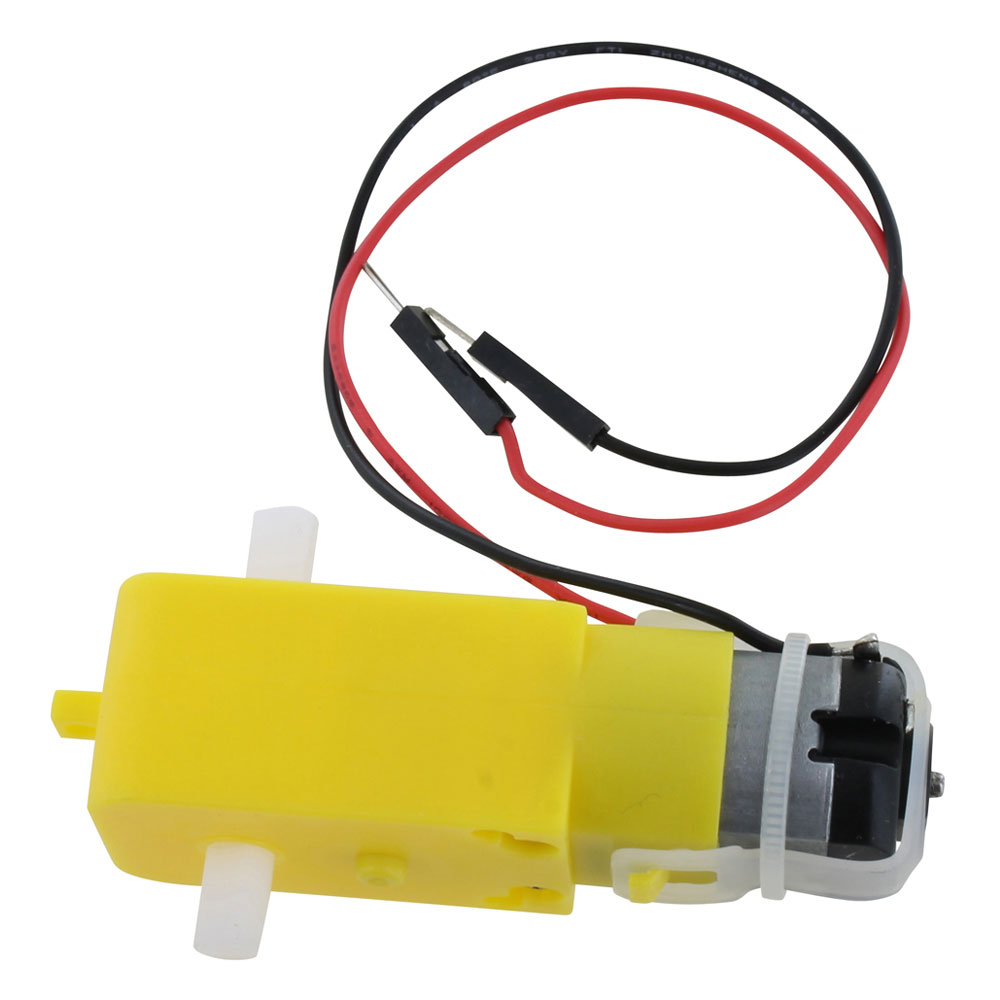
3-6V Motors
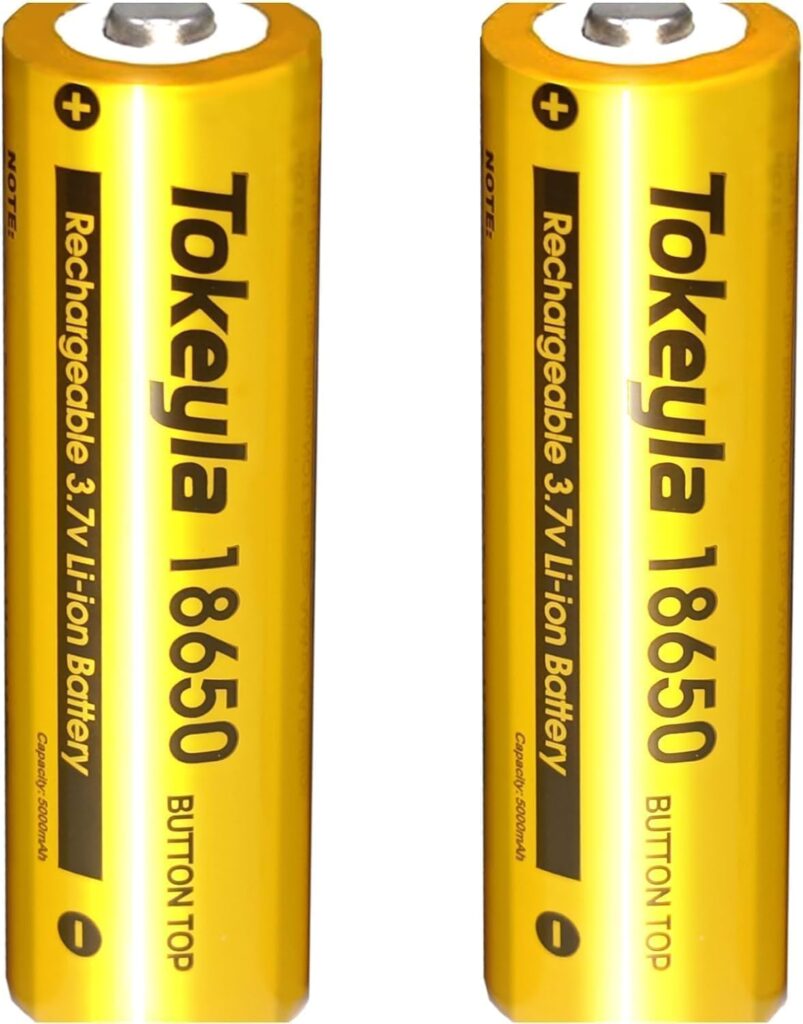
18650 Battery
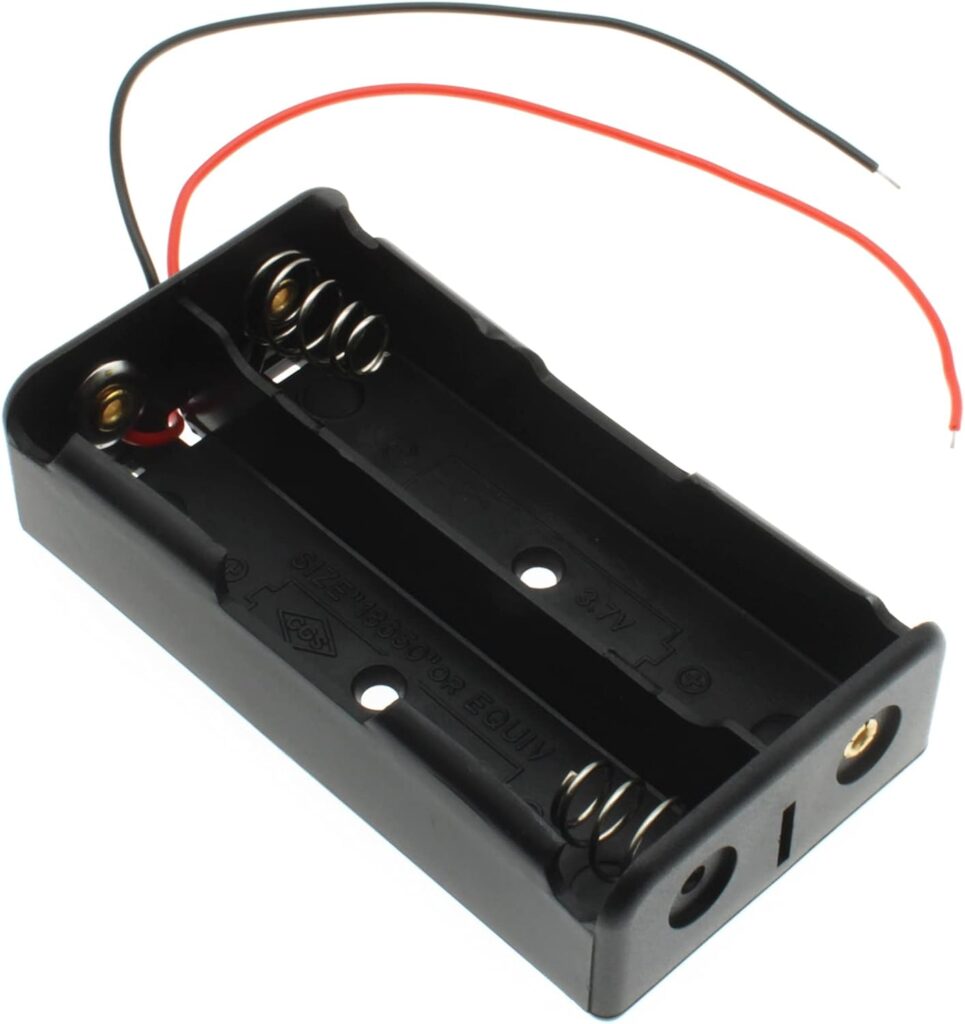
18650 Battery Holder
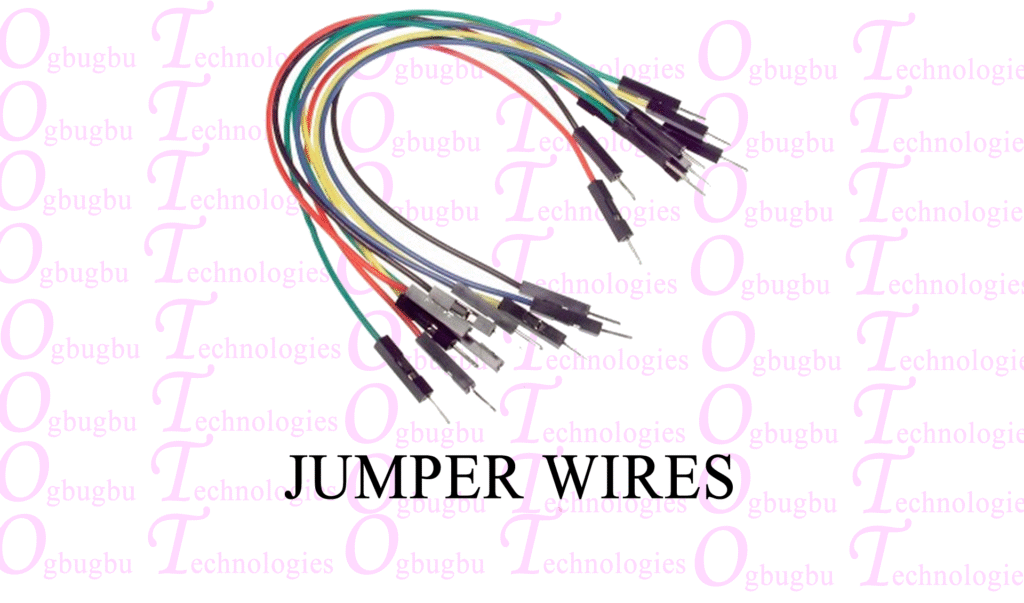
Jumper Wires
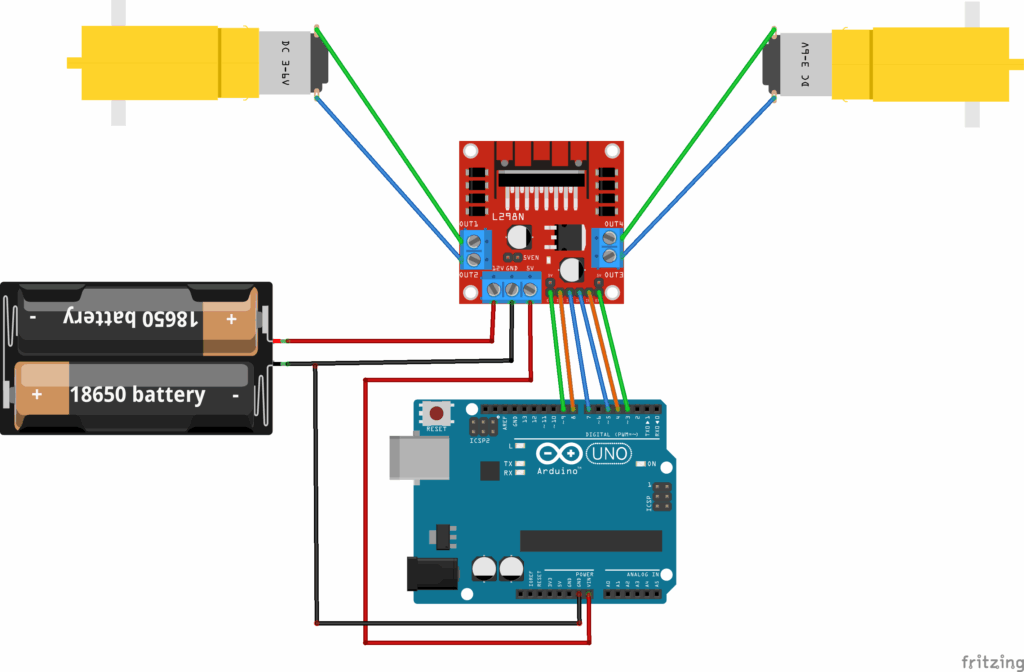
Circuit Diagram
Setup
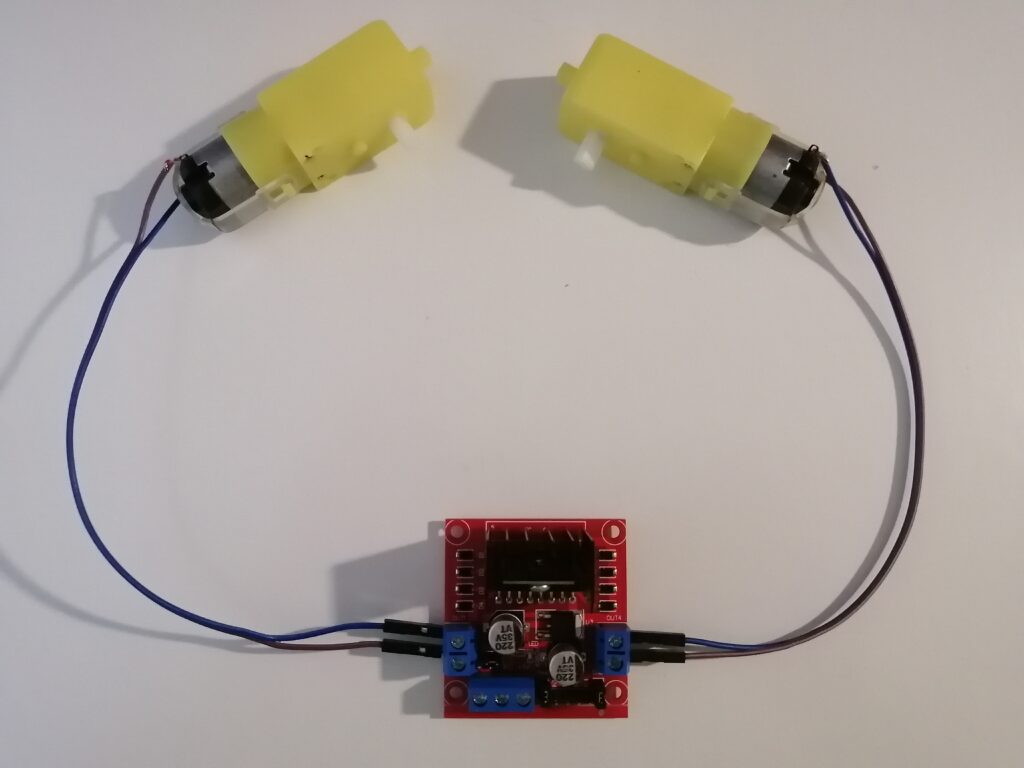
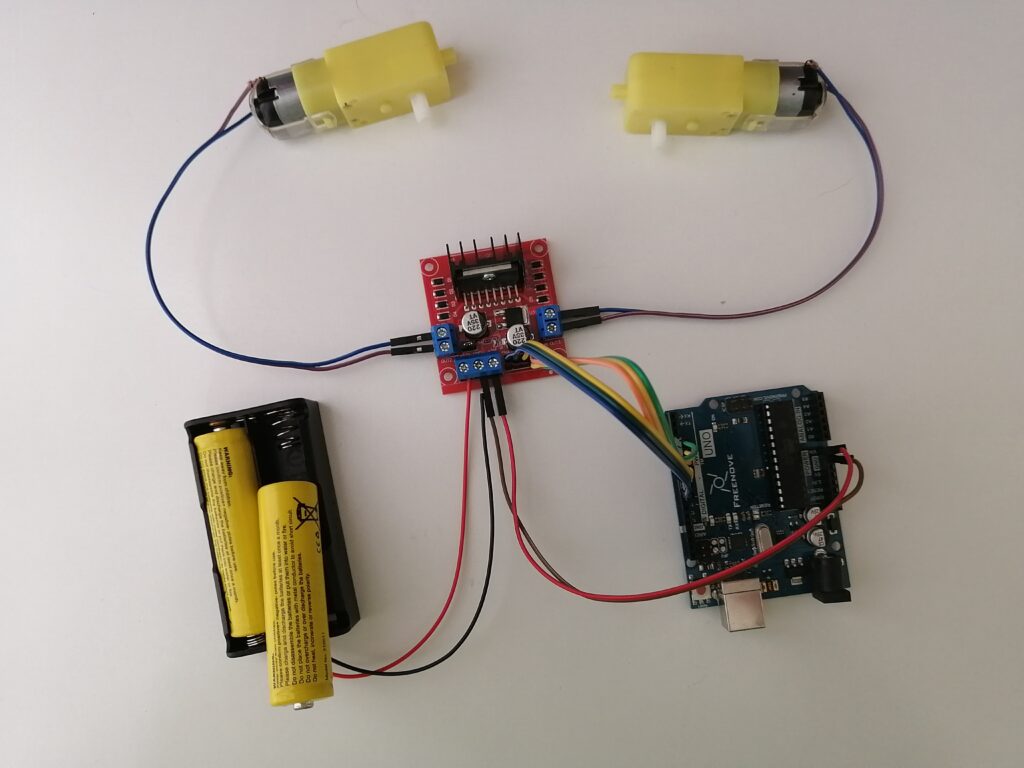
1. Connect Two Motors to the OUT1, OUT2, OUT3, and OUT4 Pins
2. Remove the Jumpers on the ENA and ENB Pins
3. Connect the Direction and Speed Control Pins to the Arduino
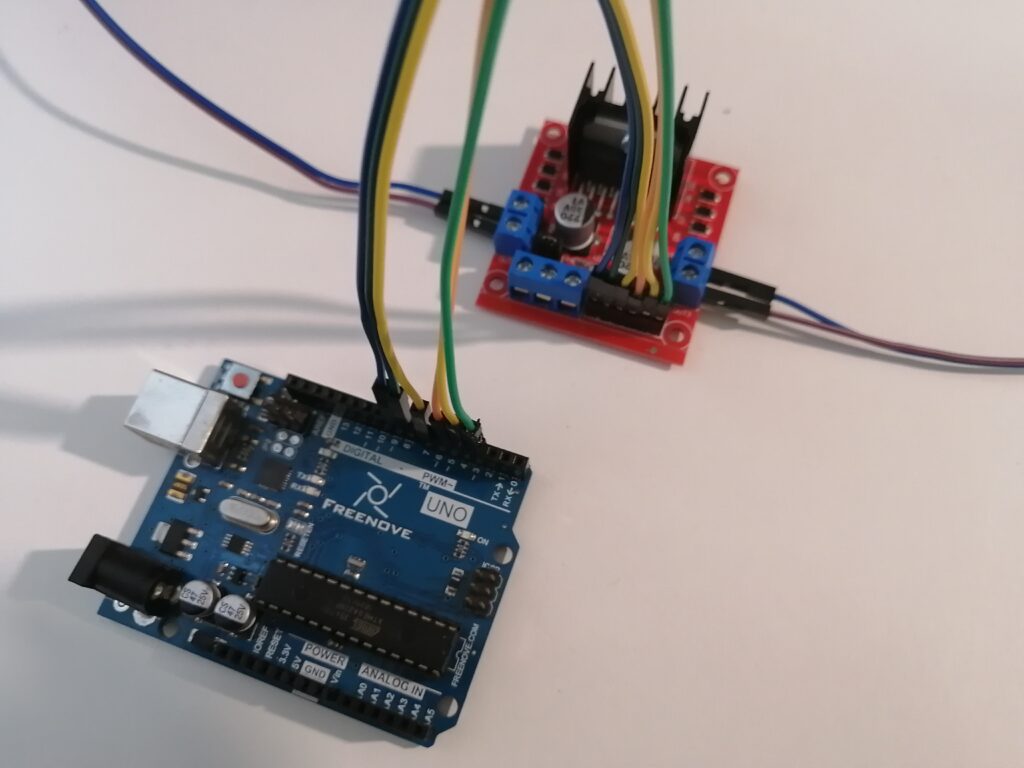
| L298N Motor Driver | Arduino |
| IN1 | D8 |
| IN2 | D7 |
| IN3 | D5 |
| IN4 | D4 |
| ENA | D9 |
| ENB | D3 |
4. Connect the Power to the L298N Motor Driver
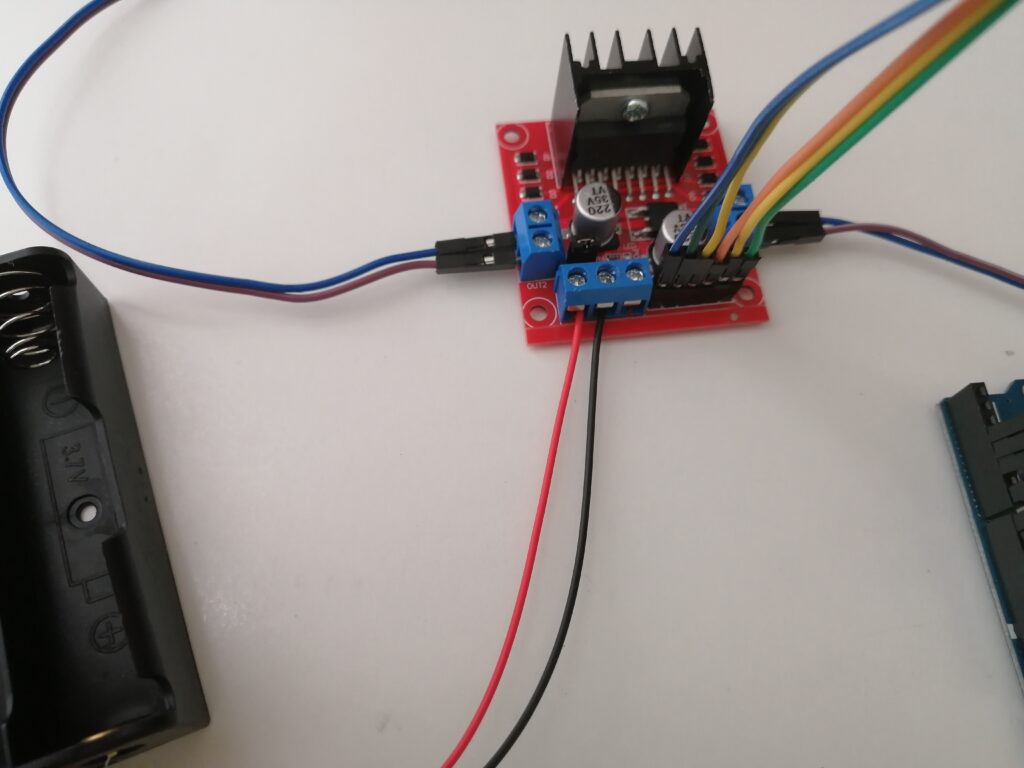
Connect the red wire of the battery holder to the 12V screw terminal and the black wire to the GND screw terminal.
5. Power the Arduino Board
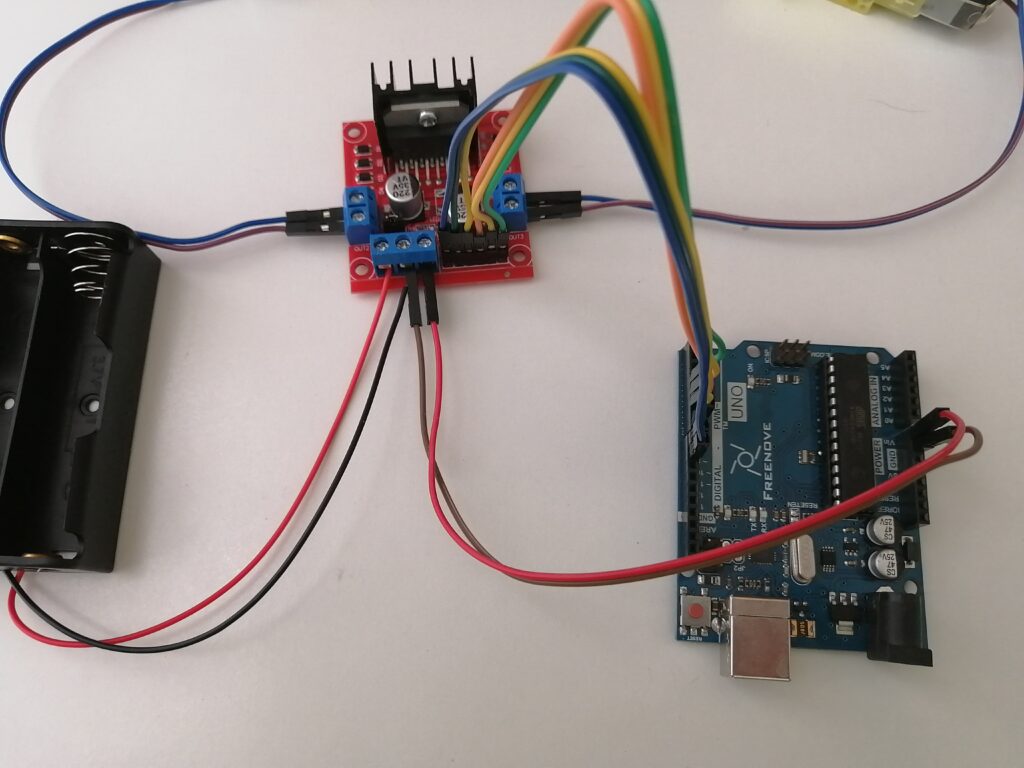
| L298N Motor Driver | Arduino |
| 5V | VIN |
| GND | GND |
Arduino Code
int motor1pin1 = 8;
int motor1pin2 = 7;

int motor2pin1 = 5;
int motor2pin2 = 4;

int ena = 9;
int enb = 3;

void setup() {
  pinMode(motor1pin1, OUTPUT);
  pinMode(motor1pin2, OUTPUT);
  pinMode(motor2pin1, OUTPUT);
  pinMode(motor2pin2, OUTPUT);

  pinMode(ena, OUTPUT);
  pinMode(enb, OUTPUT);
}

void loop() {
  // Clockwise max speed
  analogWrite(ena, 250);
  analogWrite(enb, 250);
  digitalWrite(motor1pin1, HIGH);
  digitalWrite(motor1pin2, LOW);
  digitalWrite(motor2pin1, HIGH);
  digitalWrite(motor2pin2, LOW);
  delay(2000);

  // Stop
  digitalWrite(motor1pin1, LOW);
  digitalWrite(motor1pin2, LOW);
  digitalWrite(motor2pin1, LOW);
  digitalWrite(motor2pin2, LOW);
  delay(2000);

  // Counter Clockwise max speed
  analogWrite(ena, 250);
  analogWrite(enb, 250);
  digitalWrite(motor1pin1, LOW);
  digitalWrite(motor1pin2, HIGH);
  digitalWrite(motor2pin1, LOW);
  digitalWrite(motor2pin2, HIGH);
  delay(2000);

  // Stop
  digitalWrite(motor1pin1, LOW);
  digitalWrite(motor1pin2, LOW);
  digitalWrite(motor2pin1, LOW);
  digitalWrite(motor2pin2, LOW);
  delay(2000);

  // Clockwise half speed
  analogWrite(ena, 127);
  analogWrite(enb, 127);
  digitalWrite(motor1pin1, HIGH);
  digitalWrite(motor1pin2, LOW);
  digitalWrite(motor2pin1, HIGH);
  digitalWrite(motor2pin2, LOW);
  delay(2000);

  // Stop
  digitalWrite(motor1pin1, LOW);
  digitalWrite(motor1pin2, LOW);
  digitalWrite(motor2pin1, LOW);
  digitalWrite(motor2pin2, LOW);
  delay(2000);

  // Counter Clockwise half speed
  analogWrite(ena, 127);
  analogWrite(enb, 127);
  digitalWrite(motor1pin1, LOW);
  digitalWrite(motor1pin2, HIGH);
  digitalWrite(motor2pin1, LOW);
  digitalWrite(motor2pin2, HIGH);
  delay(2000);
}