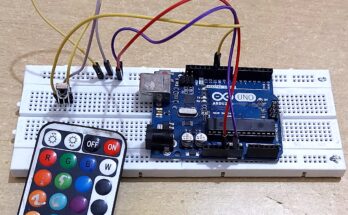
Hi folks I am back once again to share with you my simple but useful project and step-by-step descriptive video to show you, how you can auto-turn on the room Light when someone come inside the room. It’s only work when someone moves in the room and after a few second lights will turn off automatically. To detect the motion I have used PIR Motion Sensor and program the arduino board to read the sensor signal and turn on the light for a few seconds.
List of components to make this prototype.
- Arduino UNO
- PIR Motion Sensor
- LED
- Jumper Wire
PIR Motion Sensor with Arduno Video tutorial.
Arduino code for PIR Motion Sensor prototype
//the time we give the sensor to calibrate (10-60 secs according to the datasheet)
int calibrationTime = 30;

//the time when the sensor outputs a low impulse
long unsigned int lowIn;

//the amount of milliseconds the sensor has to be low
//before we assume all motion has stopped
long unsigned int pause = 5000;

boolean lockLow = true;
boolean takeLowTime;

int pirPin = 3;    //the digital pin connected to the PIR sensor's output
int ledPin = 13;


/////////////////////////////
//SETUP
void setup(){
  Serial.begin(9600);
  pinMode(pirPin, INPUT);
  pinMode(ledPin, OUTPUT);
  digitalWrite(pirPin, LOW);

  //give the sensor some time to calibrate
  Serial.print("calibrating sensor ");
    for(int i = 0; i < calibrationTime; i++){
      Serial.print(".");
      delay(1000);
      }
    Serial.println(" done");
    Serial.println("SENSOR ACTIVE");
    delay(50);
  }

////////////////////////////
//LOOP
void loop(){

     if(digitalRead(pirPin) == HIGH){
       digitalWrite(ledPin, HIGH);   //the led visualizes the sensors output pin state
       if(lockLow){
         //makes sure we wait for a transition to LOW before any further output is made:
         lockLow = false;
         Serial.println("---");
         Serial.print("motion detected at ");
         Serial.print(millis()/1000);
         Serial.println(" sec");
         delay(50);
         }
         takeLowTime = true;
       }

     if(digitalRead(pirPin) == LOW){
       digitalWrite(ledPin, LOW);  //the led visualizes the sensors output pin state

       if(takeLowTime){
        lowIn = millis();          //save the time of the transition from high to LOW
        takeLowTime = false;       //make sure this is only done at the start of a LOW phase
        }
       //if the sensor is low for more than the given pause,
       //we assume that no more motion is going to happen
       if(!lockLow && millis() - lowIn > pause){
           //makes sure this block of code is only executed again after
           //a new motion sequence has been detected
           lockLow = true;
           Serial.print("motion ended at ");      //output
           Serial.print((millis() - pause)/1000);
           Serial.println(" sec");
           delay(50);
           }
       }
}A Passive Infrared (PIR) motion sensor detects movement by sensing changes in infrared (IR) radiation (heat) in its field of view. It is passive because it doesn’t emit its own energy but instead monitors the ambient IR from objects, like the human body.
Hardware Components and Function
The typical PIR motion sensor module consists of several key hardware components:
1. Pyroelectric Sensor Element
- Core Detector: This is the heart of the PIR sensor, usually housed in a hermetically sealed metal can with an IR-transmissive window.
- Dual-Sensor Design: Inside, it contains two balanced pyroelectric sensing elements made of a crystalline material. Pyroelectric materials generate a surface electric charge when exposed to changes in heat (IR radiation).
- Motion Detection Principle: The two elements are wired in a differential configuration.
- No Motion: Both elements receive the same amount of ambient IR radiation, and their opposing signals cancel each other out, resulting in a zero or low output.
- Motion: When a warm body (like a person) moves across the sensor’s view, it first heats one element and then the other. This creates a positive and then a negative differential change (a pulse) between the two elements. This change is interpreted as motion.
2. Fresnel Lens (or Mirror Segments)
- Focusing: The dome-shaped, faceted plastic cover over the sensor is typically a Fresnel lens (or sometimes segmented mirrors are used).
- Purpose: The lens has multiple facets, each acting as a small lens, which performs two main functions:
- It focuses the distant IR energy onto the small pyroelectric sensor surface.
- It divides the detection area into a pattern of alternating “viewing” and “blind” areas, effectively increasing the sensor’s range and dividing the detection area into sensitive segments, which helps the dual-element design create the necessary differential signal as a body moves across.
3. Electronic Circuitry (Amplification and Signal Processing)
- Printed Circuit Board (PCB): The pyroelectric sensor is mounted on a PCB containing the necessary support electronics, often including a dedicated IC like the BISS0001 or an Op-Amp (Operational Amplifier).
- Signal Amplification: The tiny electrical pulse generated by the pyroelectric sensor is very weak, so an amplifier circuit is used to significantly boost the signal.
- Signal Processing: This circuit filters out noise, compares the amplified signal to a threshold, and performs the logic to determine if a valid motion event has occurred.
- Output Control: Once motion is detected, the control IC outputs a command, typically a digital HIGH signal (e.g., 3.3V or 5V) on the output pin for a set duration, which can then be used to trigger an alarm, turn on a light, or alert a microcontroller.
4. Adjustments (Potentiometers)
- Many PIR modules include adjustable potentiometers for:
- Sensitivity: Adjusting the distance or magnitude of IR change required to trigger detection.
- Time Delay: Setting how long the output signal remains HIGH after motion is first detected.